Inside the team
A project manager overloaded with manual work
- Customer support
- Legal questions
- Requesting documents
- Reviewing documents
One mistake while reviewing a document could cost the organization of a process as complex as a CSE election.
Project
← All projectsElectis
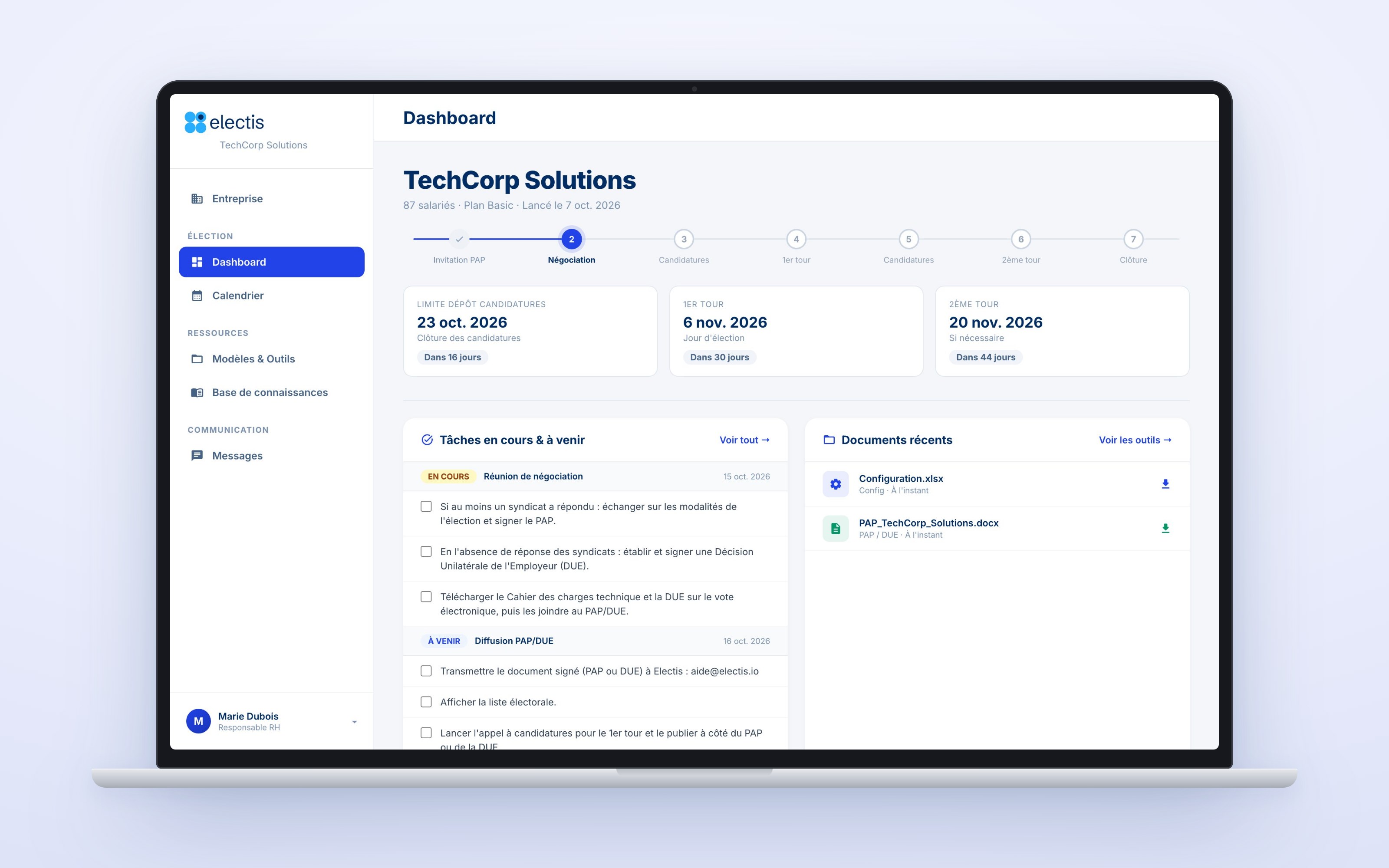
The interface reuses the design system we already had for the voting platform, designed in Figma on top of Material Design.
My first project made with AI: I worked with AI almost 100% of the time.
With a small team and limited resources, I proposed solutions that simplified the product and even its architecture.
The dashboard is connected to HubSpot, the CRM, so every contact with a client lives in a single place. The operations team has one place with all the client information.
Emails, reminders, templates and frequent questions stopped being manual work for the operations team.
WorkUX/UI / Web
01
Before the dashboard, a CSE election was managed by exchanging emails between the client and the project manager. It was slow and fragile on both sides.
Inside the team
One mistake while reviewing a document could cost the organization of a process as complex as a CSE election.
On the client side
Every incomplete document stalled the process, and the experience with it.
Before
Emails back and forth between the client and the project manager.
After
One dashboard that orders and simplifies the process, for the client and for the team.
02
From the first email to the closing of the election, the client always knows which step comes next.
01Access
02Setup
03Preparation
04Election
+Always available
03
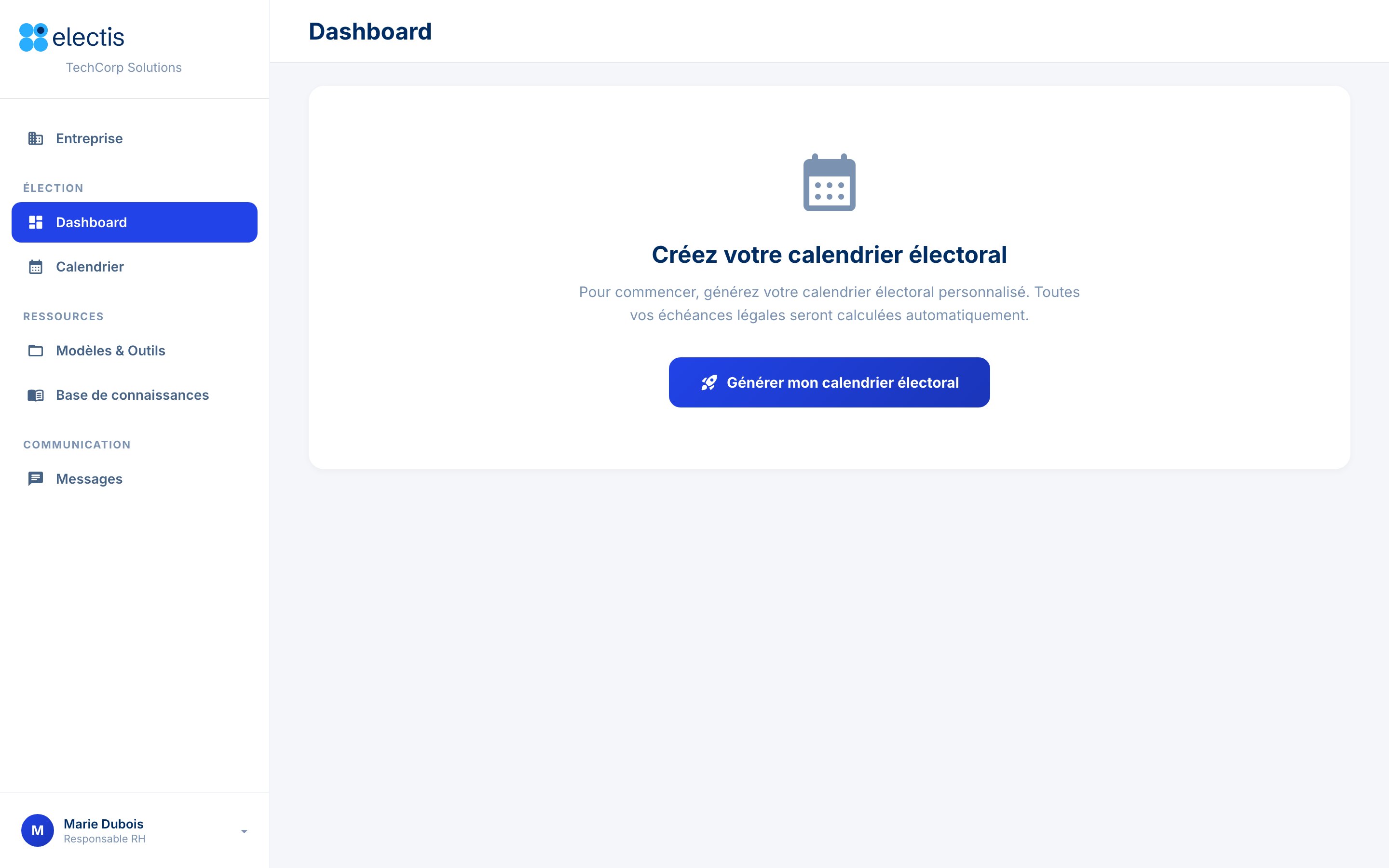
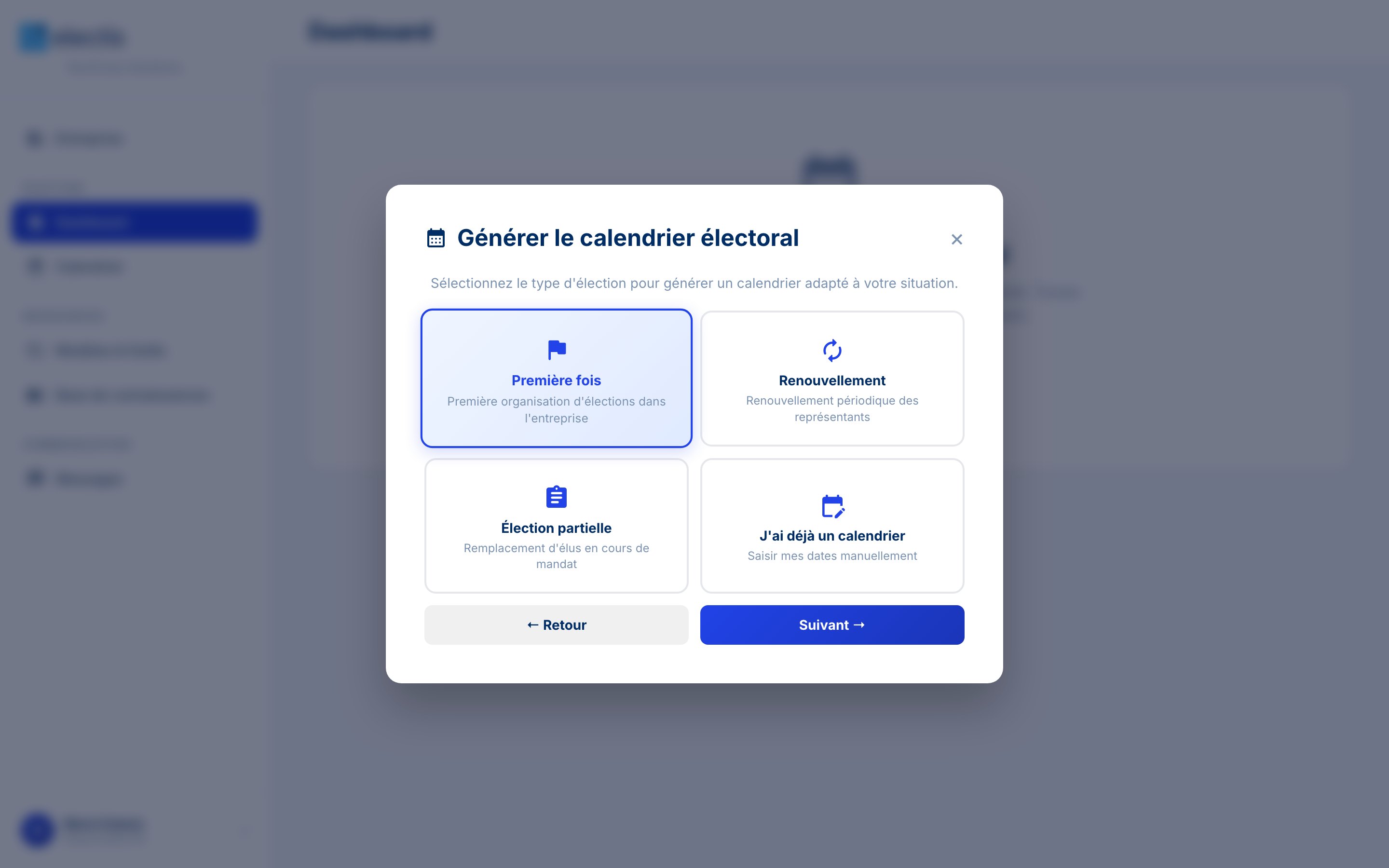
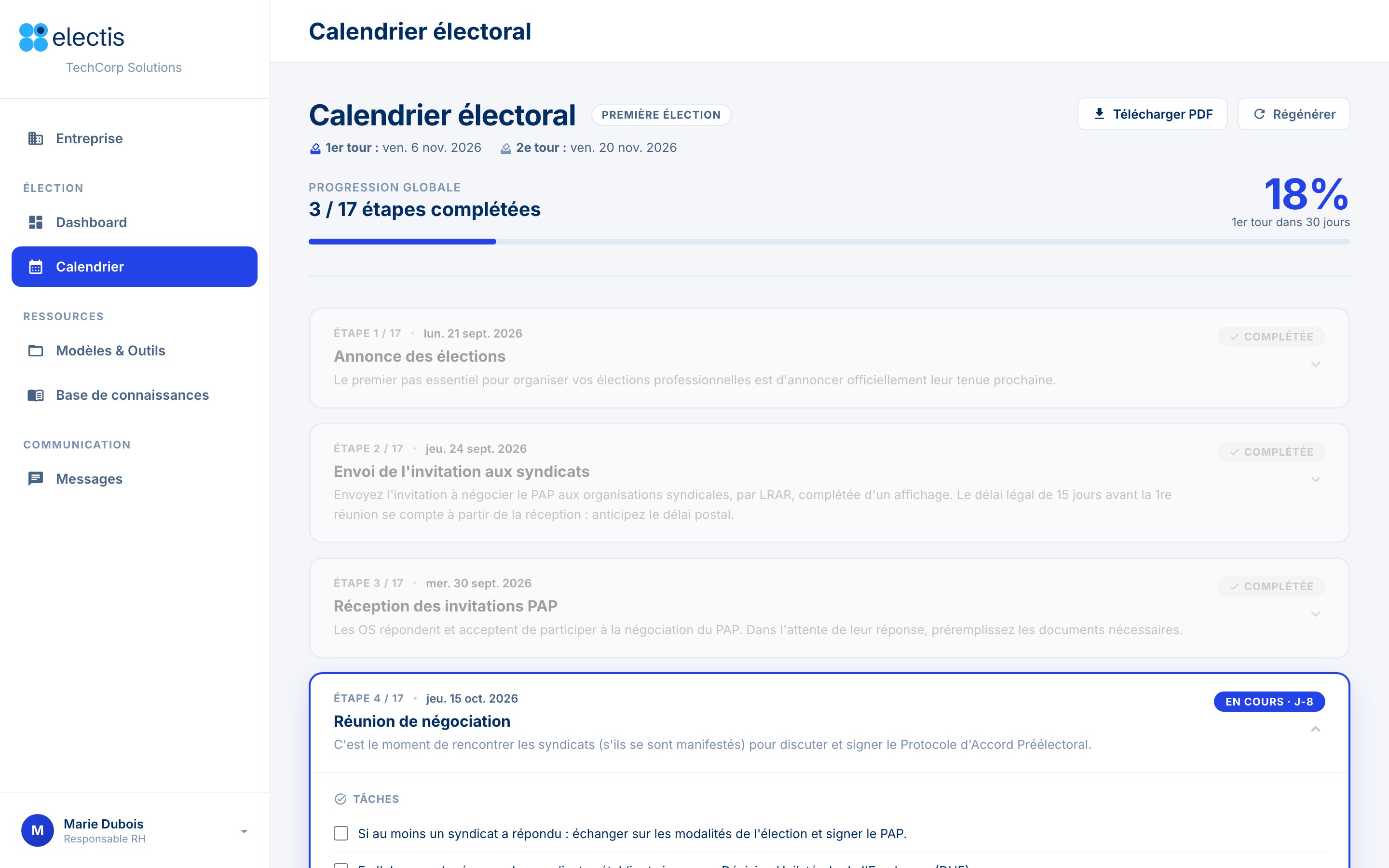
The client answers a few questions and gets a calendar based on the type of company, its size and its needs. Every legal deadline is calculated automatically.
04
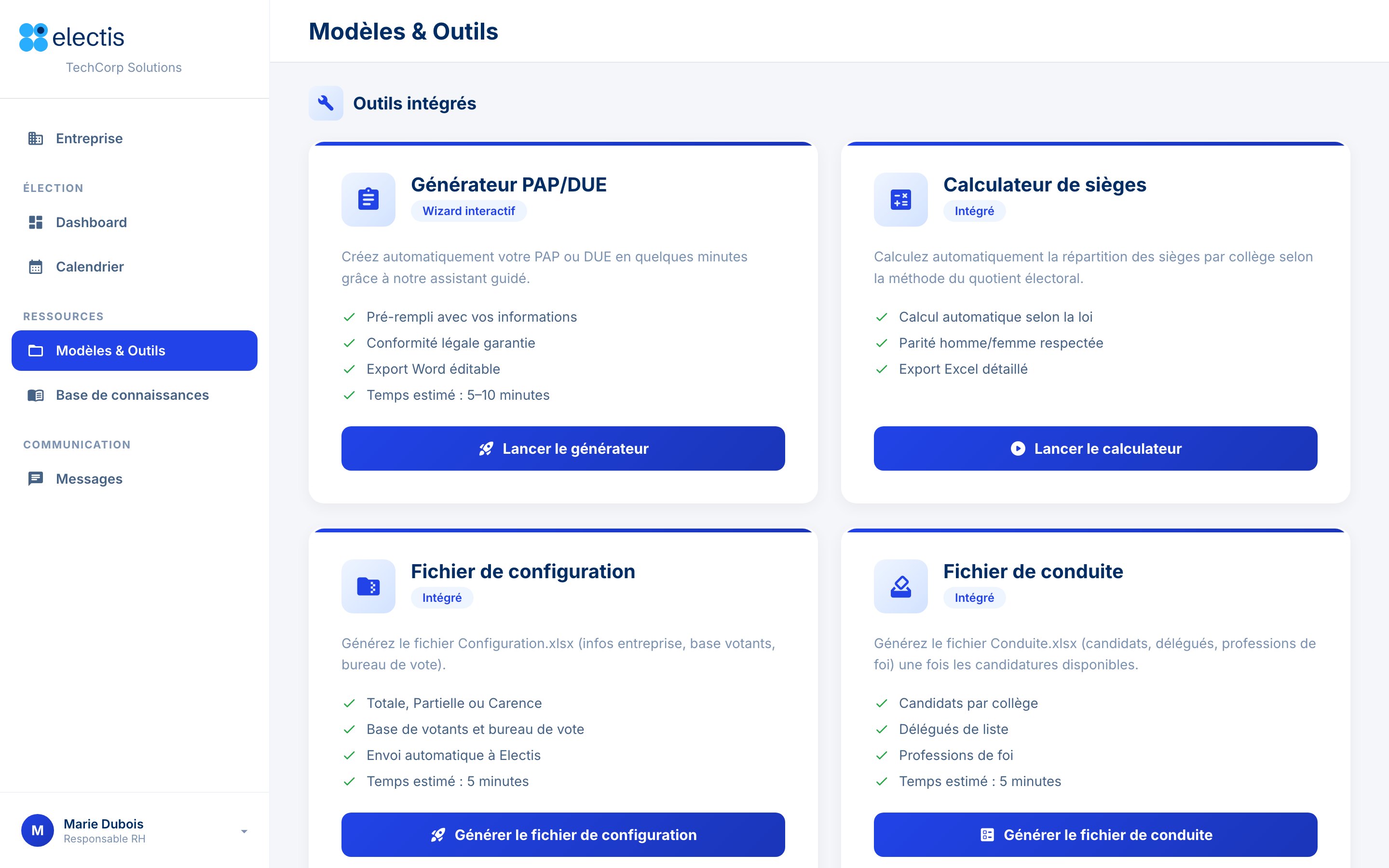
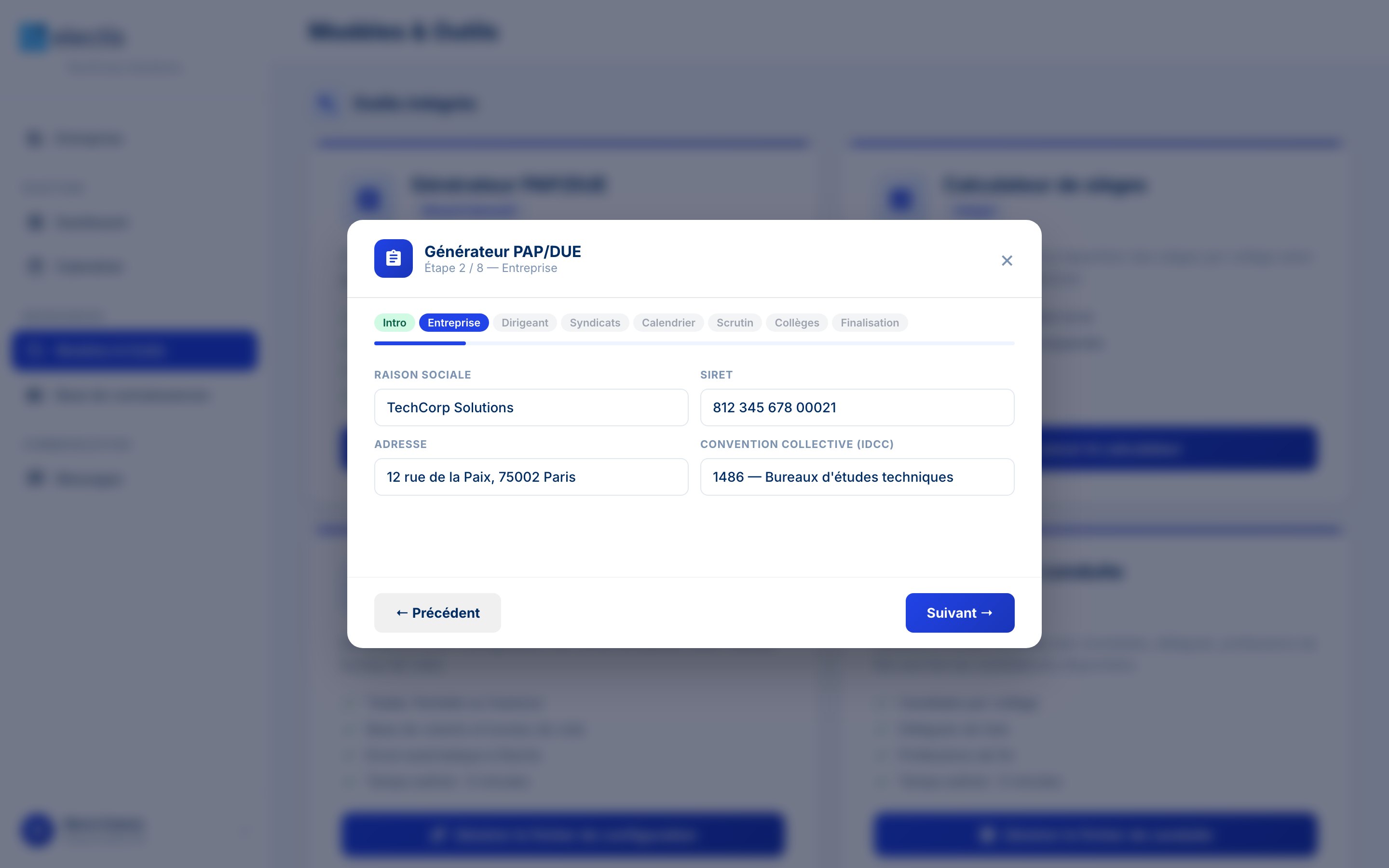
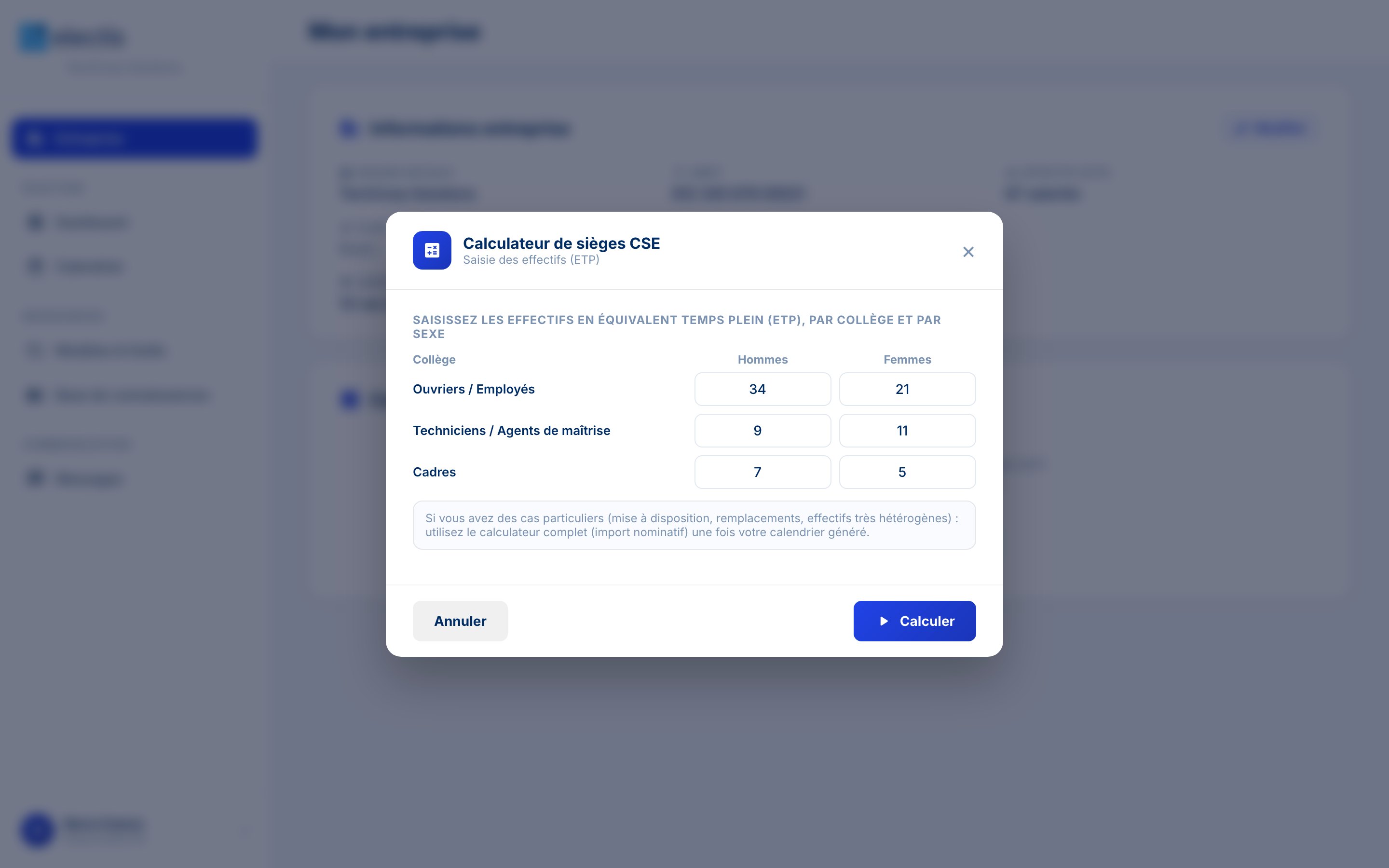
Documents that used to travel by email became guided tools: the client fills in a few fields and the document is generated, pre-filled with what the dashboard already knows.
05
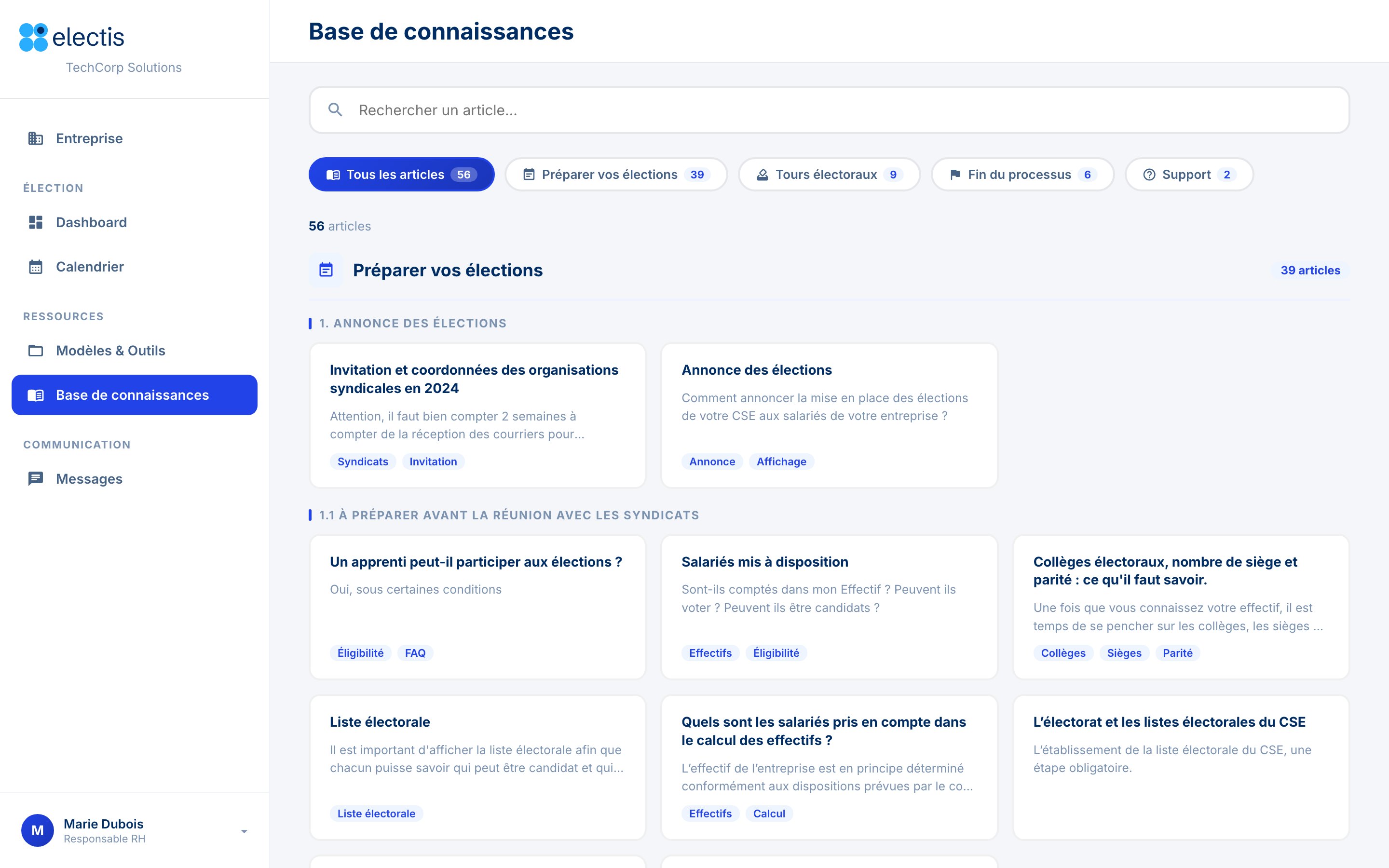
The questions users ask most are organized in a knowledge base that follows the same order as the election, so the answer is there before anyone has to write to the team.
06
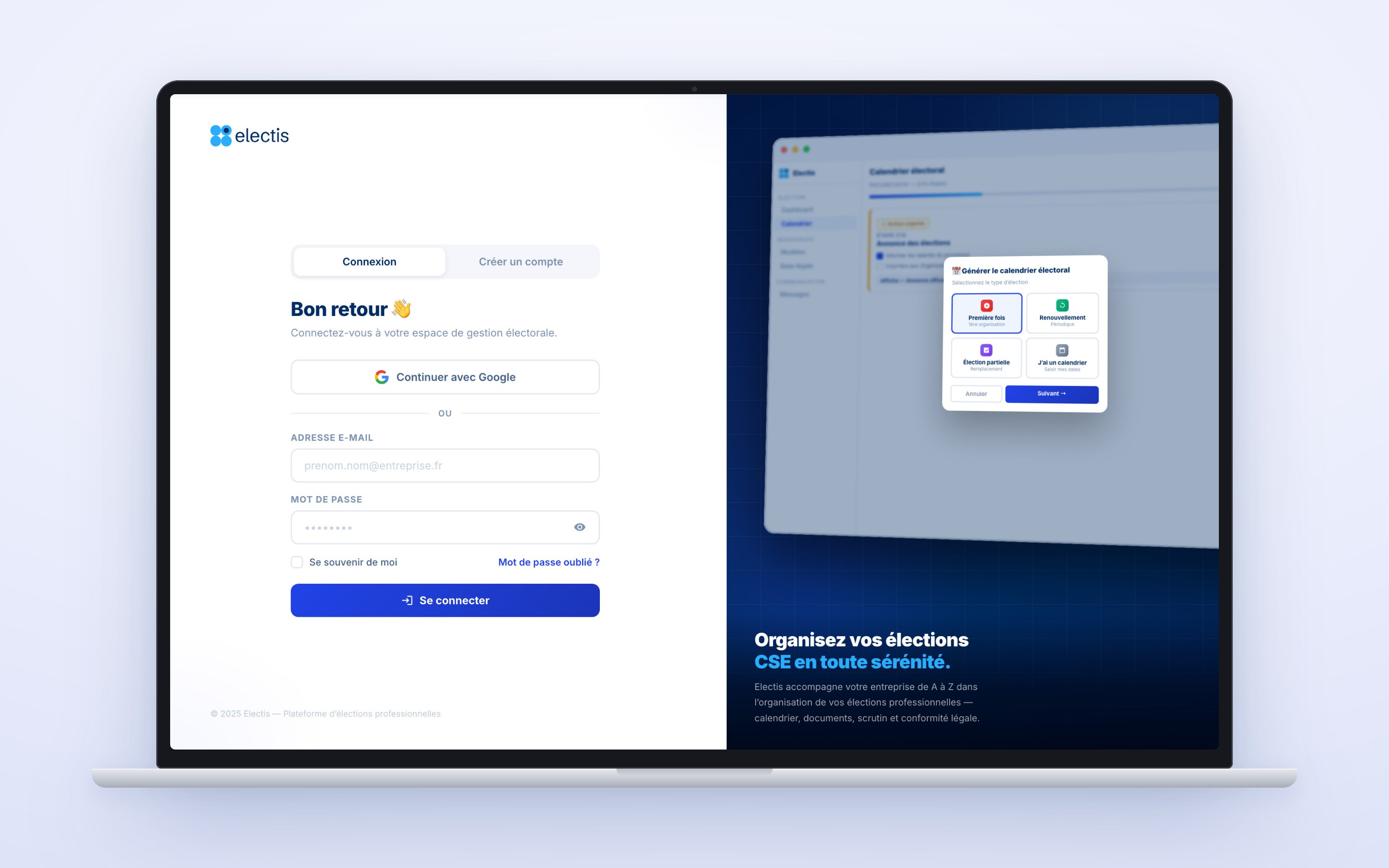
The access flow was designed with the product: welcome email, first sign-in, login and password reset.
07
The dashboard sits in the middle of the tools the team and the clients already used.
| Product | How it is used |
|---|---|
| HubSpot | CRM, hosted templates and guides, secure forms to send documents, and booking the welcome meeting. |
| Electis voting platform | Receives the configuration and conduct files generated in the dashboard. |
| Electis library | Source of the knowledge base: every article links to its full version. |
| Yousign | Electronic signature of the minutes at the end of the election. |
| Sign in with Google, and Meet for calls with the team. | |
| Word, Excel and PDF | Formats of the generated documents: agreement, configuration files and calendar. |
| YouTube | Video tutorials linked from the articles. |
| French public services | Reference links: company directory, TéléAccords, Légifrance and the labour code. |
08
Lighter work for clients and for the operations team that supports them.
of client operations optimized, by automating what the team used to do by hand.