


Project
← All projects10 Grounds
Chefy, AI cooking app
- Problem
- College students and busy families let ingredients go to waste that could have been a meal.
- Solution
- Chefy, an AI cooking assistant that starts from what is already in your kitchen and suggests real meals to make with it.
- My role
- UX/UI Designer at 10 Grounds, in a cross-functional team of designers, content specialists and AI developers.
- Skills
- Methodology
- A Design Sprint in Figma and Miro to understand the problem and map the user journey, then the MVP definition, and from there the naming, branding and design system.
I was part of the sprint sessions from the first day, and once the MVP was defined I designed for it: the naming, the branding and the design system the screens are built with.
- Category
- Food Technology & Artificial Intelligence
- Platform
- iOS & Android
- Tools
- Figma
Product decisions
Three features, not ten
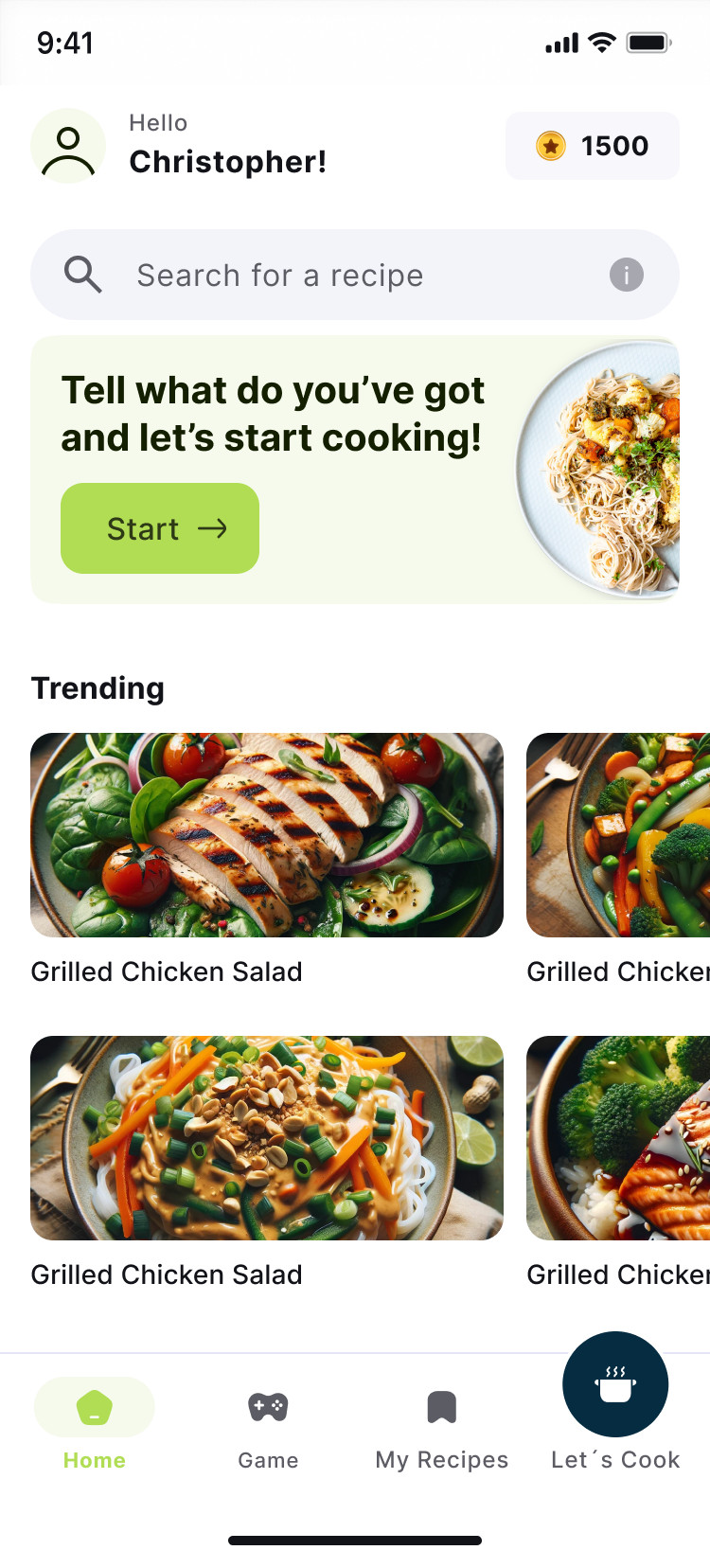
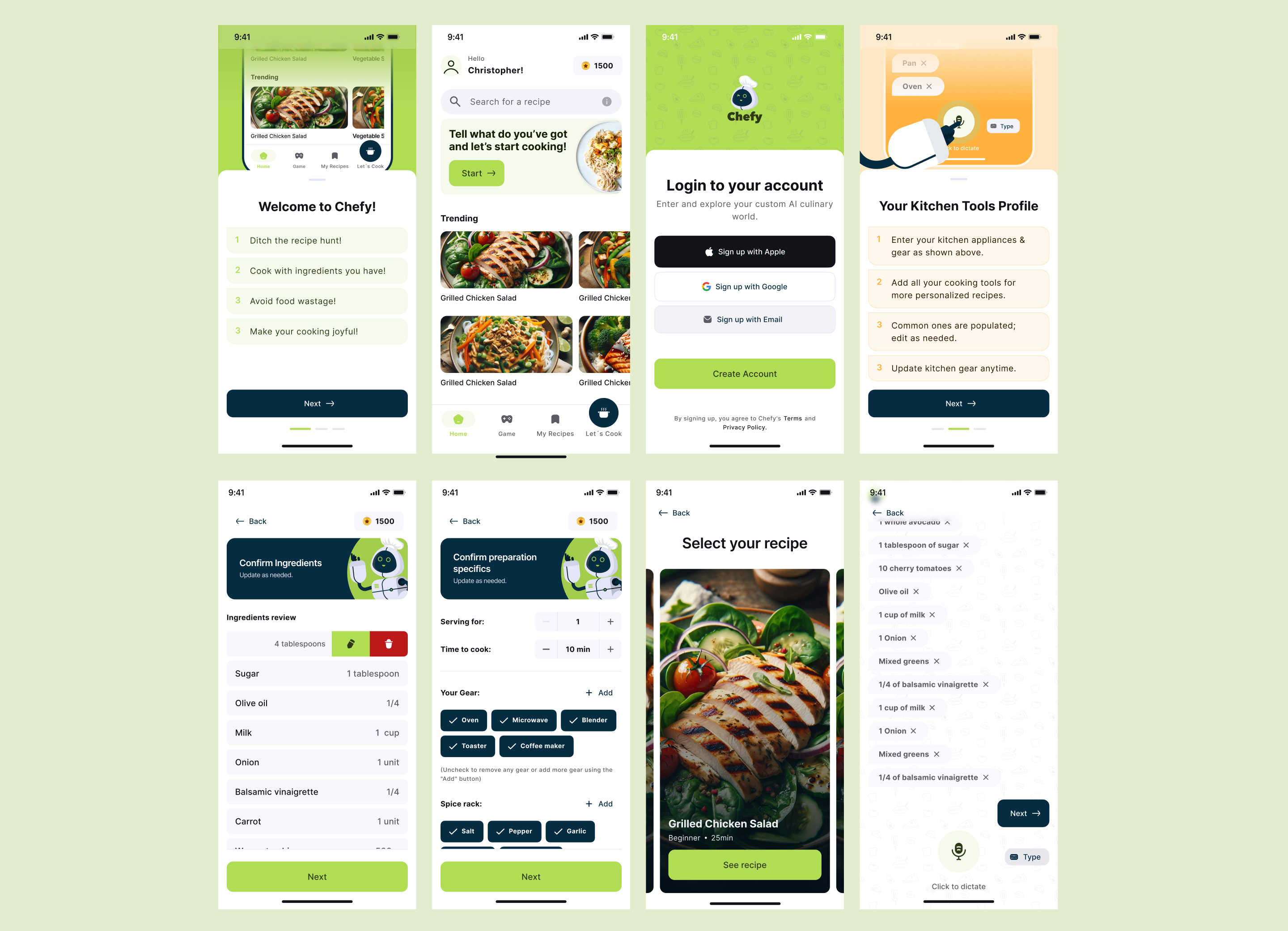
The sprint narrowed the MVP to what would prove the idea: a pantry to track what you have, AI recipes from those ingredients, and a daily cooking word game.
Your kitchen comes first
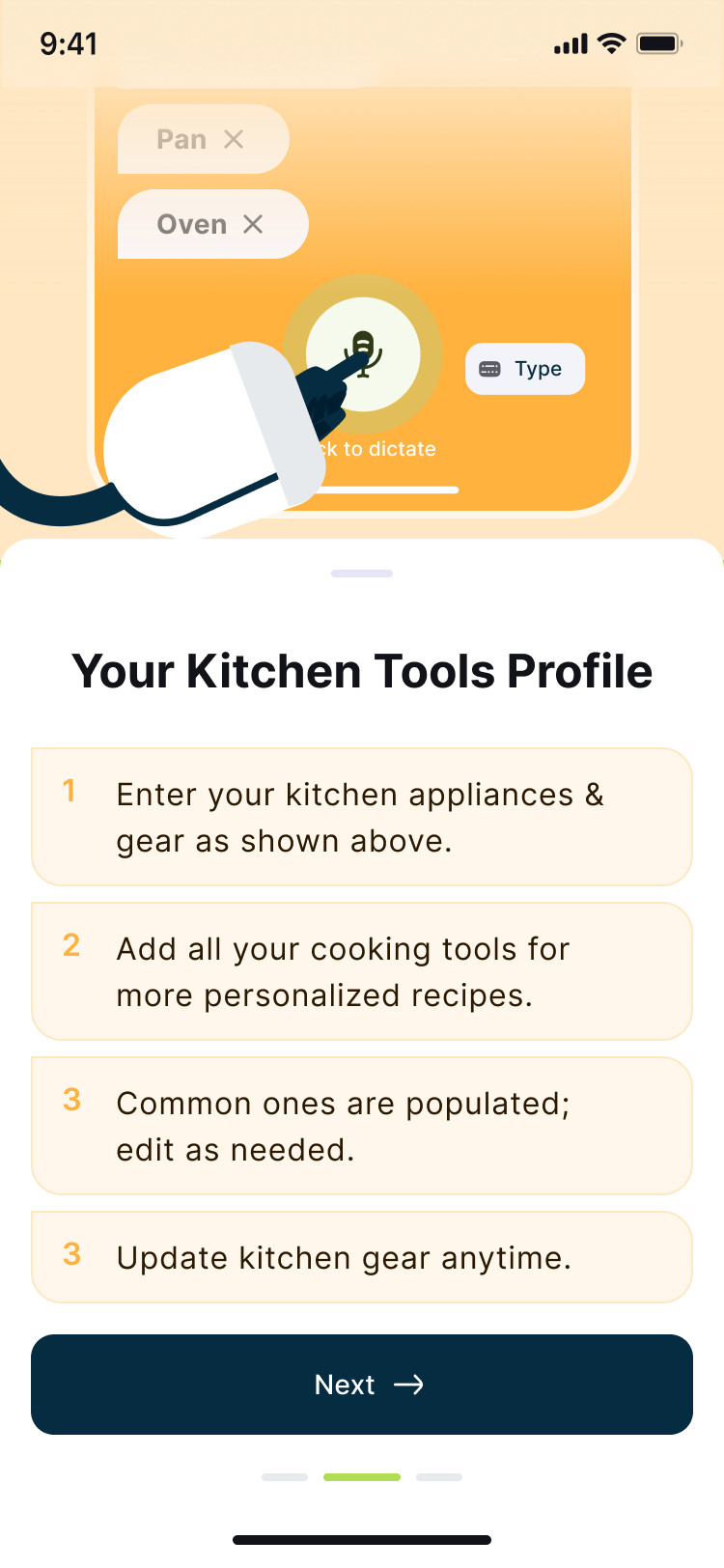
Onboarding asks for your appliances and gear before any recipe, so every suggestion is something you can actually make.
Say it or type it
Ingredients can be dictated or typed. Listing what is in the fridge should be as quick as saying it out loud.
Review before you cook
Ingredients, servings and cooking time are confirmed in two short steps, so the AI works from what you really have.
A character, not a chatbot
The assistant has a name and a face. Talking to a small robot chef feels lighter than filling in a form.
A reason to come back
You collect points as you use the app, and a daily word game adds a small habit around cooking at home.
WorkMobile app / Branding / Design system
Branding
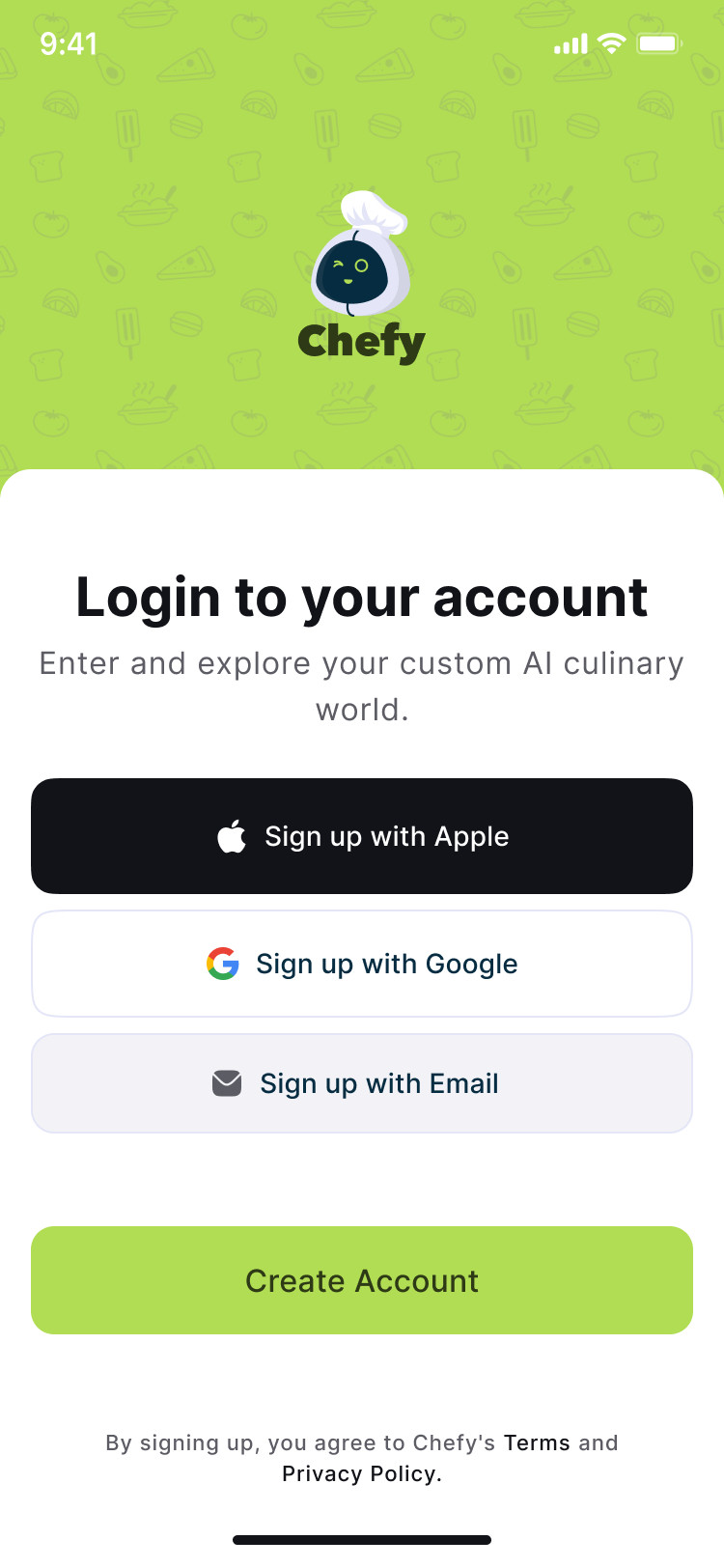
A name, a character and a short palette. Chefy turns the AI into someone you can talk to: a small robot chef that winks at you.
Naming
Chefy
A phonetic play on words: “chef” plus the ending -y, read as the diphthong /aɪ/, the same sound as “AI” said as a single word. Short enough to be an app icon, warm enough to be the name of the assistant itself.
Typography
A heavy rounded wordmark for the logo. Inter for everything inside the app.
Aa Bb Cc 0123
Color
Primary colors
- PrimaryP-40
- On PrimaryP-100
- Primary ContainerP-90
- On Primary ContainerP-10
Secondary colors
- SecondaryS-40
- On SecondaryS-100
- Secondary ContainerS-90
- On Secondary ContainerS-10
Tertiary colors
- TertiaryT-40
- On TertiaryT-100
- Tertiary ContainerT-90
- On Tertiary ContainerT-10
Surface colors
- SurfaceN-98
- Surface BrightN-98
- Surf. Container LowestN-100
- Surf. Container LowN-96
Design system
The components the MVP is assembled from, rebuilt here in code.
Buttons
Create AccountNext Sign up with AppleSign up with Google Sign up with Email
PrimarySecondaryProviderOutlineSoft
Inputs
Search for a recipe EmailPassword••••••••••Serving for: 1Time to cook: 10 min
Selection
Oven Blender ToasterMicrowaveCoffee maker
CheckedUnchecked
Cards
Tell what do you’ve got and let’s start cooking!Start
Lists
1 Ditch the recipe hunt!2 Cook with ingredients you have!1 Enter your kitchen appliances and gear.Olive oil 1/4Milk 1 cup
Onboarding, greenOnboarding, orangeIngredient
Navigation